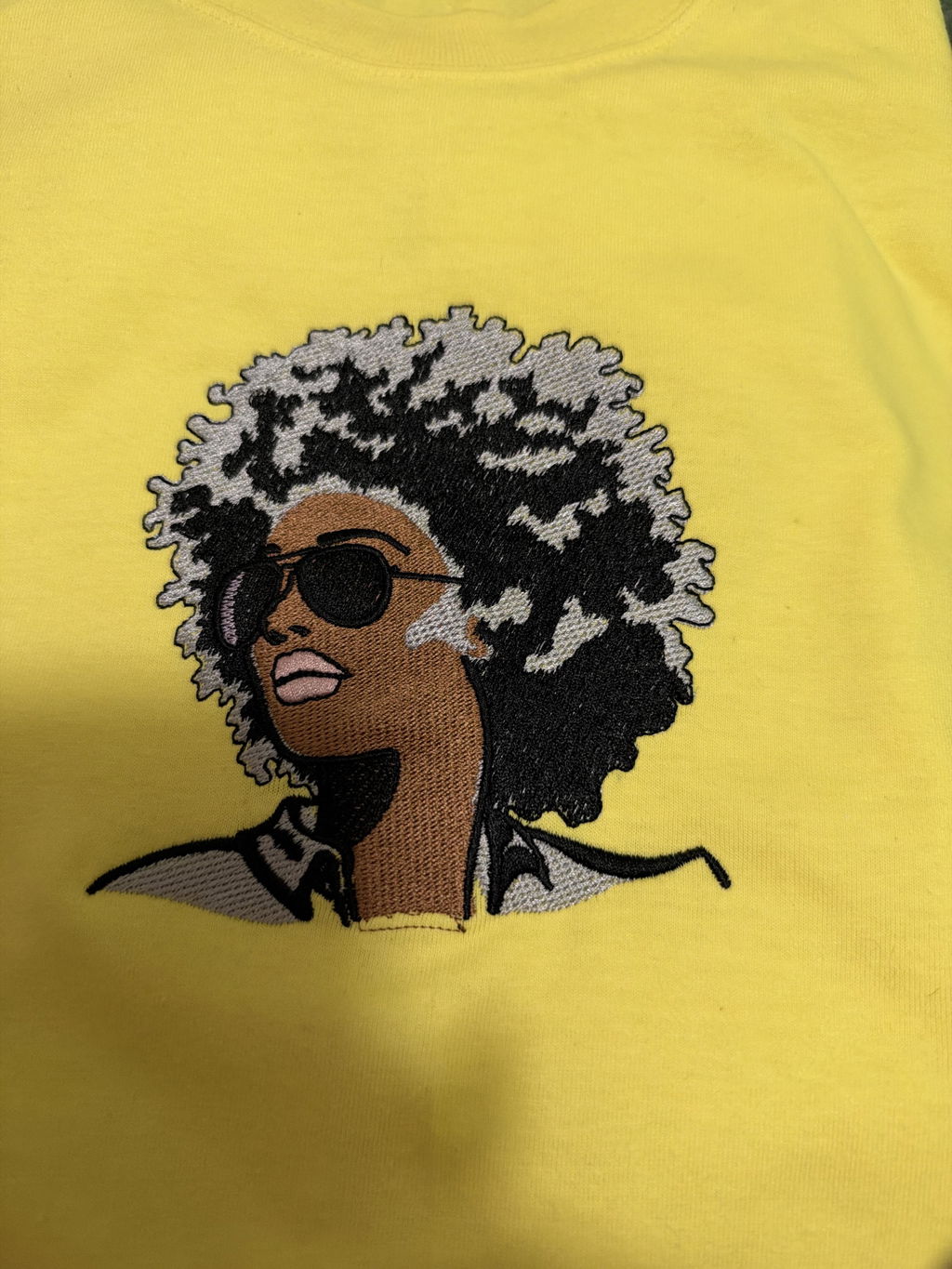
1. Introduction: Navigating the World of Auto Embroidery Machines
Computerized embroidery has transformed creativity for hobbyists and professionals alike. Intricate motifs once requiring expert hands are now stitched with precision and speed, enabling personal expression and business growth. Understanding capabilities, upkeep, and model differences is the fastest path to unlocking your full potential.
In this guide, we decode core features that set modern machines apart, compare popular models across skill levels, and share pro tips to streamline your workflow. From hoop sizes, automation, and stabilizers to scaling your shop, you’ll find actionable insights to maximize creativity and productivity—including time-saving options like magnetic embroidery hoops. Whether you run a studio or you’re choosing an embroidery machine for beginners, let’s dive in.
Table of Contents
- 1. Introduction: Navigating the World of Auto Embroidery Machines
- 2. Essential Features of Computerized Embroidery Machines
- 3. Top Machine Comparisons: Matching Models to Your Needs
- 4. Beginner’s Roadmap: Choosing Your First Machine
- 5. Maintenance Mastery: Preventing Common Issues
- 6. Stabilizer Selection for Flawless Results
- 7. Durability and Growth: From Hobby to Business
- 8. Conclusion: Elevating Your Embroidery Journey
- 9. Frequently Asked Questions (FAQ)
2. Essential Features of Computerized Embroidery Machines
Modern embroidery machines are more than tools—they’re creative partners designed to make projects easier, faster, and more precise. Below are the features that matter most so you can pick the right fit.
2.1 Hoop Sizes and Embroidery Fields: Finding Your Fit
Hoop size defines your creative canvas. Common hoops span 4×4 inches—great for monograms and small motifs—up to expansive 14.4×20 inches on commercial models like the Tajima TMEZ-SC. The physical hoop is usually slightly larger than the stitchable area; for instance, a 4×4-inch hoop may allow only about 3.93×3.93 inches of stitching.
| Machine Model | Max Hoop Size (mm) | Max Hoop Size (inches) |
|---|---|---|
| Brother NV880E | 160×260 | 6×10 |
| Brother PR1X | 200×300 | 8×12 |
| POOLIN EOC06 | 200×280 | 7.9×11.2 |
| Tajima TMEZ-SC | 360×500 | 14.4×20 |
Source: Manufacturer specifications
Larger hoops reduce rehoopings for bigger designs—think quilt blocks, jacket backs, or banners. Small hoops excel in tight areas like sleeves or pockets and are beginner-friendly. Fabric matters too: stretchy or delicate textiles need extra care and stabilizer to avoid puckering or misalignment.
Traditional hoops use screw tensioning, which can be fiddly—especially with thick or layered fabrics. Enter magnetic hoops for embroidery machines, like those from Sewtalent. They adapt to fabric thicknesses, keep tension even, and help prevent hoop burn. The result?
- 90% time savings versus manual hoops
- Consistent, even tension for crisp results
- No visible hoop marks on finished garments
Sewtalent’s magnetic hoops are especially popular for garment embroidery, turning a tedious step into a quick, reliable action—freeing time for creativity and reducing waste.
Curiosity Gap: Imagine turning a three-minute hooping struggle into a 30-second breeze—now multiply that across a production run.
2.2 Connectivity, Storage & Automation: Streamlining Workflow
Today’s machines deliver digital convenience and stitching prowess.
Connectivity & Interface:
- USB ports: Standard on most machines for easy file import (e.g., DST, PES)
- Wi‑Fi/LAN: Models like the Brother SE2000 and SE700 support wireless transfers
- Touchscreens: From compact 3.2-inch panels to 12.1-inch displays on commercial units like the Tajima TMEZ-SC
Design Management:
- Built-in libraries with 80–200+ designs and multiple fonts on entry-level units
- External storage via USB or proprietary software (such as Tajima’s i‑TM)
- Multi-design queuing on higher-end machines
Automated Features:
- Thread management:
- Auto thread trimming (e.g., Tajima systems) reduces waste
- Electronic tension adjustment (e.g., POOLIN EOC06)
- Automatic threaders and bobbin winding (e.g., Brother SE2000/SE700)
- Design position adjustment on some commercial models for on-the-fly correction
Performance Metrics:
- Speed: About 860 spm on mid-range machines up to 1,200 rpm on industrial models like the Tajima TMEZ-SC
- Power & durability: Industrial-grade motors and frames support high-volume production
Sensory Description: Picture a full-color touchscreen—swipe, tap, preview, and stitch without leaving the machine.
Why It Matters: These features help you import custom artwork, manage design libraries, and automate tedious steps so you can prioritize creativity and quality.
3. Top Machine Comparisons: Matching Models to Your Needs
Choosing the right embroidery machine is like picking a dance partner—it should match your rhythm, skill level, and goals.
3.1 Home & Hobbyist Machines: Brother SE2000 vs. PE900
| Feature | Brother SE2000 | Brother PE900 |
|---|---|---|
| Functionality | Sewing + Embroidery | Embroidery-only |
| Embroidery Designs | 193 designs, 13 fonts | 138 designs, 11 fonts |
| Sewing Stitches | 241 stitches, 10 buttonholes | N/A |
| Design Transfer | WiFi + USB | USB only |
| Jump Stitch Trimming | Automatic | Manual |
| Additional Features | Artspira app compatibility, WiFi | N/A |
Performance Insights:
- SE2000: A multitasker with sewing and embroidery, a 5x7-inch hoop, wireless connectivity, and automatic needle threading and jump stitch trimming—ideal for versatility and efficiency.
- PE900: Embroidery-only with a robust design library and USB transfers—cost-effective if you don’t need sewing functions.
Value Proposition:
- SE2000: Higher upfront cost, dual functionality—great for intermediates or small shops.
- PE900: More affordable, dedicated embroidery—strong for hobbyists or side hustles.
YouTube Reviewer Takeaways: Reviewers praise the SE2000’s wireless transfer and user-friendly touchscreen. The PE900 earns points for simplicity and value.
Curiosity Gap: Which empowers your next masterpiece—a versatile multitasker or a focused specialist?
3.2 Commercial-Grade Powerhouses: Tajima TMEZ-SC and Beyond
| Model | Needles | Embroidery Field | Speed | Best For |
|---|---|---|---|---|
| Tajima TMEZ-SC | 15 | 14.4" x 20" | 1,200 rpm | High-volume, oversized projects |
| Bernina 700 Series | 10 | 400mm x 400mm | 1,000 spm | Fashion/apparel, intricate designs |
| Brother PR1050X | 10 | 8" x 12" | 1,000 spm | Large designs, multi-color projects |
| Janome MB-7 | 7 | 5" x 7" | N/A | Mid-scale, multi-color embroidery |
Industrial Features:
- Tajima TMEZ-SC: 15 needles, a large hoop area, and a 12.1-inch touchscreen. Automated tensioning (i‑TM) and a digitally controlled presser foot help even newer users achieve professional results. The cylinder bed handles sleeves and caps, while automation reduces errors and training time.
- Bernina 700: Known for precision and versatility with complex, multi-color work.
YouTube Reviewer Insights: Reviewers highlight push-button simplicity and reliable performance across a range of materials, from 3D foam to delicate fabrics. Automated tensioning, quick-change frames, ample memory, and USB import streamline production.
Why Go Commercial? If you’re scaling, these machines bring speed, consistency, and capacity for large or complex projects. They’re investments, but time and labor saved can quickly add up.
Action Step: Prioritize what matters most—speed, design size, automation, or multi-needle capability.
Ready to choose your embroidery partner? The right machine—and the right features—can turn vision into reality.
4. Beginner’s Roadmap: Choosing Your First Machine
Staring at a wall of machines can feel overwhelming. Here’s what matters most for beginners and a look at approachable entry-level picks.
4.1 Key Features for New Embroiderers
- Automatic Threading: Found on models like the Brother PE535 and SE600 to speed setup.
- Manageable Hoop Sizes: A 4" x 4" hoop keeps projects approachable and aids accurate placement.
- Built-In Tutorials and Designs: With 80+ designs and multiple fonts, you can start stitching immediately.
- User-Friendly Interface: Color touchscreens (e.g., 3.2-inch LCD on PE535/SE600) simplify navigation and on-machine editing.
Learning Curve Insights: Even without prior sewing experience, clear instructions and intuitive controls keep things approachable. Start simple and expand as confidence grows. If you want a concise shortlist, see the best embroidery machine for beginners.
Curiosity Gap: Worried you won’t use all the features? Most beginners explore more as skills improve—so favor a machine that’s easy to learn yet not limiting.
4.2 Top Entry-Level Picks Under $600
| Feature | Brother PE535 | Brother SE600 | Singer EM9305 |
|---|---|---|---|
| Type | Embroidery-only | Sewing + Embroidery | Embroidery-only |
| Hoop Size | 4" x 4" | 4" x 4" | 4" x 4" |
| Built-in Designs | 80 embroidery, 9 fonts | 80 embroidery, 103 sewing | 150 embroidery, 10 fonts |
| Automatic Threading | Yes | Yes | Yes |
| Touchscreen | 3.2" color LCD | 3.2" color LCD | LCD |
| Price | ~$449.94 | ~$549.94 | ~$499 |
Brother PE535: Compact and embroidery-only, with a helpful design library and USB import.
Brother SE600: A versatile combo unit with 103 sewing stitches and the same 4" x 4" field. Quick-set bobbin and automatic threading make it beginner-friendly.
Singer EM9305: Intuitive interface, automatic features, and a larger built-in design library; embroidery area is similar to the Brothers.
Budget-Friendly Setup Tips: These models earn praise for clarity, simplicity, and reliability. Pick based on whether you want embroidery-only or sewing plus embroidery.
5. Maintenance Mastery: Preventing Common Issues
Even the best machines need care. Basic maintenance prevents headaches and keeps stitches crisp.
5.1 Solving Thread Breaks and Tension Errors
Thread Breaks: Common causes include poor thread quality, incorrect needle orientation, lint in tension areas, or design flaws.
Quick Fixes:
- Thread Path Audit: - Clean tension discs with unwaxed dental floss or a small brush. - Rethread with the presser foot up to ensure proper flow.
- Thread Quality Check: - Use 40-wt polyester or rayon embroidery threads. - Test new threads on scrap fabric first.
- Backtrack After Breaks: - Move the needle 2–3 stitches backward to overlap the break.
- Bobbin Basics: - Replace empty bobbins promptly to avoid interruptions.
Tension Errors: Over-tight top tension, lint in discs, or thread mismatch can cause snapping or puckering. Adjust gradually, clean discs weekly with white felt strips, and use vertical stands for heavy threads.
Pro Tip: For persistent issues, reset settings and recalibrate. On Tajima units, for example, lowering the top tension knob from 5 to 3 can help.
Why It Matters: Consistent maintenance can prevent up to 89% of operational failures.
Real-World Example: Reviewers of the Brother Skitch PP1 emphasize regular cleaning and proper threading to avoid bird nesting and skipped stitches.
5.2 Hoop Alignment and Sensor Fixes
Proper hoop alignment prevents skipped stitches, false thread-break alerts, and wasted materials.
Common Causes:
- Loose or uneven fabric tension in the hoop
- Dirty or misaligned sensors
- Incorrect magnetic hoop setup
Solutions:
- Hoop Reconfiguration: - Fabric should be taut and flat, with no gaps between hoop and arm. - For magnetic hoops, verify clamping force and maintain small clearance from machine arms.
- Sensor Maintenance: - Clean sensor areas with compressed air or a soft brush. - Replace sensors if misalignment persists.
- Design Recalibration: - After deep maintenance, recalibrate needle position memory.
Sewtalent Magnetic Hoops: A Game Changer for Garment Embroidery
If you’re tired of screws or hoop burn, magnetic embroidery frames can transform your workflow.
- Automatic Hooping: Magnets adapt to different fabric thicknesses for even tension and fewer misalignments.
- Textured Surface: Stabilizes garments and can reduce embroidery defects by 15%.
- Time Savings: Minutes shrink to seconds, boosting throughput.
Curiosity Gap: Off-center or puckered designs often trace back to poor hoop alignment—something Sewtalent’s system helps you avoid.
Action Step: Add hoop and sensor checks to regular maintenance, and consider magnetic hoops like Sewtalent for garment embroidery.
6. Stabilizer Selection for Flawless Results
Stabilizer choice is the secret to crisp, professional embroidery. Pick the right type and your designs stay sharp through wear and washing.
Cutaway Stabilizer:
- What it is: Dense, non-woven fibers for permanent support
- Best for: Stretchy fabrics like knits, fleece, t‑shirts, and performance wear
- Why use it: Prevents distortion and preserves design integrity over time
Tearaway Stabilizer:
- What it is: Lightweight, removable support for stable wovens
- Best for: Cotton, linen, denim, towels, and structured items
- Why use it: Temporary stability with easy removal
| Fabric Type | Recommended Stabilizer | Project Examples | Key Considerations |
|---|---|---|---|
| Stretchy (knits, fleece) | Cutaway | T-shirts, polos, sweatshirts | Essential for stretch; prevents distortion |
| Stable (cotton, denim) | Tearaway | Towels, canvas bags, denim jackets | Easy removal; minimal bulk |
| Thin/Delicate | Lightweight Cutaway | Dress shirts, lightweight jackets | Avoids bulk, prevents distortion |
| Dense Stitch Designs | Cutaway | Satin stitch, appliqué | Supports heavy stitching, prevents puckers |
Specialty Options: Fusible stabilizers improve placement; wash-away toppers keep stitches visible on pile fabrics; layering tearaway under cutaway can help with complex or large designs.
Pro Tips: Test on scrap, use fusible options when possible, and choose cutaway for high-wear items.
YouTube Insights: The wrong stabilizer causes puckering and misaligned outlines; the right one keeps work flat and professional.
Action Step: Stock both cutaway and tearaway, and experiment with specialty options.
7. Durability and Growth: From Hobby to Business
Scaling isn’t only about bigger machines—it’s about building a durable foundation. Whether you’re crafting at home or moving toward production with an embroidery sewing machine, longevity and smart workflows matter.
7.1 Maximizing Machine Lifespan
With proper care, modern auto embroidery machines can deliver a decade or more of reliable service—even under demanding workloads.
What Determines Lifespan:
- Usage intensity
- Maintenance discipline (daily cleaning, weekly lubrication, quarterly checks)
- Build quality (industrial-grade frames like those in the Happy HBM-1501)
Maintenance Schedules:
| Frequency | Tasks |
|---|---|
| Daily | Thread path audits, hook area cleaning, oil level checks |
| Weekly | Tension spring testing (200g weight test), rotary hook lubrication |
| Quarterly | Needle bar alignment, rotary hook wear inspection, magnetic hoop compatibility checks |
Cost Breakdown Over Time:
| Category | Details | Cost Estimate |
|---|---|---|
| Preventative Care | Lubricants, filters | $189/year |
| Professional Servicing | Twice-yearly tune-ups | $350/session |
| Critical Repairs | Calibration, stepper motor, touchscreen | $275–$585 |
| Needle Replacement | $0.87/needle; ~$125/year |
Maintenance typically runs 5–10% of the initial price per year. For a commercial model like the Ricoma MT-1502, that can total around $7,960 in five years—paying off in uptime and stitch quality.
Repair Trends and Realities:
| Repair Type | Average Cost | Notes |
|---|---|---|
| Minor Repairs | $50–$100 | Feed dogs, minor parts |
| Major Repairs | Up to $585 | Touchscreen, motor rebuilds |
| Computerized | $100+ | Complexity increases repair costs |
Energy efficiency influences cost of ownership, and thread-saving tech can reduce waste. Accessories like magnetic hoops (e.g., Sewtalent) accelerate setup and reduce defects, supporting both productivity and machine health.
Model Highlights:
- Happy Voyager: Versatile for small businesses, strong on caps and flat embroidery
- HCA-1501: Built for high-speed, large-scale jobs
- HBM-1501: Go-to for heavy fabrics and industrial use
YouTube Insights: Reviews of the Tajima TMEZ-SC emphasize robust build, automated tensioning, and the importance of responsive local support to minimize downtime.
Bottom Line: Treat the machine like a partner. With disciplined maintenance and smart model choices, you’ll enjoy years of smooth production.
7.2 Scaling with Multi-Head Machines and Workflows
Barudan vs. SWF: Multi-Head Showdown
| Brand | Key Strengths | Best For |
|---|---|---|
| Barudan | High stitch output, robust build | High-volume, batch production |
| SWF | Competitive ROI, flexible workflows | POD integration, small runs |
Workflow Upgrades:
- Batch Processing: Embroider multiple garments at once to cut turnaround and labor
- POD Integration: Connect your embroidery workflow with online stores to automate intake and fulfillment
- Tax Considerations: Many regions offer equipment incentives—consult your accountant
Scalability Insights: Multi-head systems drive efficiency as volumes grow. Accessories such as magnetic hoops (including Sewtalent for garment embroidery) further reduce setup time and defects.
Curiosity Gap: How do shops deliver hundreds of custom shirts a day? The secret is smarter workflows—batching, automation, and the right accessories.
Action Step: Map your order volume, labor, and bottlenecks before stepping up to a multi-head system.
8. Conclusion: Elevating Your Embroidery Journey
Match your machine to your needs, prioritize regular maintenance, and choose stabilizers wisely for flawless results. If business growth is your goal, scale thoughtfully with the right equipment and workflows. Every stitch moves your craft forward.
9. Frequently Asked Questions (FAQ)
9.1 Q: What makes a good embroidery machine?
A: Balance essential features with user-friendliness. Look for varied hoop sizes, ample workspace, intuitive controls (like LCD touchscreens), and design software compatibility. Built-in tutorials and automatic threading help beginners; advanced editing and connectivity options empower experienced users.
9.2 Q: Are subscription apps like Artspira worth it?
A: They add design libraries and digitizing tools but may limit features behind paywalls, and reliance on an app can restrict workflow if discontinued. Many users prefer USB or Wi‑Fi transfer for flexibility. Choose based on needs and comfort with ongoing costs.
9.3 Q: How do I start with embroidery?
A: Pick an entry-level machine with clear instructions and tutorials. Practice with included designs and test different fabrics and stabilizers. Manufacturer guides, YouTube tutorials, and forums offer step-by-step help. Start small, learn steadily, and build from there.